

Webflow CMS architecture is one of the places where agency work either becomes scalable or quietly starts to fall apart. A site can look excellent at launch and still become difficult to manage if the CMS was shaped around the first batch of pages instead of the client's future publishing workflow.
For agencies, this matters because the Webflow build is rarely only a visual delivery. The client expects a system they can keep using: new blog posts, case studies, service pages, industry pages, landing pages, FAQs, resources, author profiles, and campaign content. If the CMS is too shallow, every update becomes a design task. If it is too flexible, editors can accidentally damage consistency. If relationships are unclear, content becomes duplicated and SEO pages become harder to maintain.
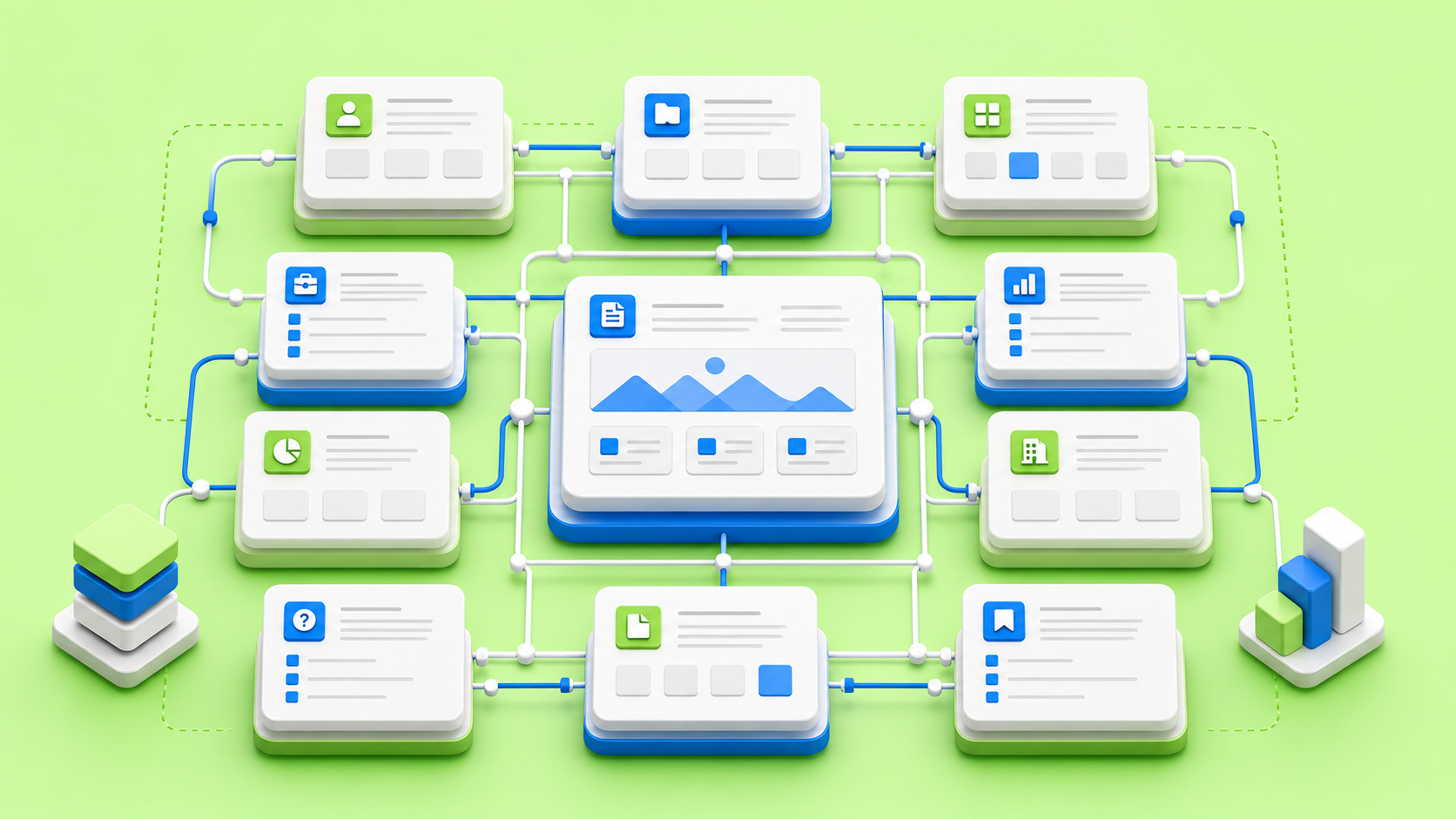
A strong Webflow CMS architecture turns content into a system. Collections define reusable content types. Fields describe what each item needs. Collection Pages create scalable templates. Collection Lists create reusable feeds, cards, related content, and index pages. Reference and multi-reference fields connect content across the site so editors do not have to copy the same information everywhere.
This guide is written for agencies that build content-driven websites for clients. It explains how to plan Webflow CMS architecture before production, how to choose collections and fields, how to protect SEO, how to prepare editor-safe templates, and how to hand off a CMS that will still make sense months after launch.
Start with content operations, not collections
The first mistake is opening Webflow and creating collections too early. Before the CMS exists, the agency should understand how the client actually publishes. Who creates content? Who approves it? Which page types are repeated? Which pages need SEO fields? Which content should be reused across multiple templates? Which items need categories or tags? Which sections should editors control, and which sections should stay locked inside the template?
Webflow's CMS is built around collections, fields, items, Collection Pages, and Collection Lists. That technical structure is powerful, but it should follow the editorial structure. A CMS collection is not just a database table. It is a decision about how the client will create, edit, connect, and scale content.
For example, a case study collection is not only title, image, and body. A serious agency site might need client name, industry, services delivered, result metrics, testimonial, project year, gallery images, related services, featured status, SEO title, meta description, Open Graph image, and a CTA. The collection should be built around those real publishing needs.
CMS architecture decision matrix
DecisionQuestion to answerAgency risk if ignoredRecommended approach
Map the content model before Webflow production
A content model is the blueprint for how content types relate to each other. For an agency website, common content types include blog posts, authors, categories, services, work, industries, testimonials, FAQs, resources, team members, locations, and landing pages.
Each of those types may become a Webflow collection, but not always. The model should separate content that needs its own page from content that only supports another page. A service usually deserves a collection page when the agency wants scalable service SEO pages. A small FAQ answer may not need its own page; it may work better as structured fields or as a reusable FAQ collection. A testimonial might be a collection if it appears across multiple pages, but static if there are only two quotes on the site.
The goal is to prevent duplication. If the same client logo, author bio, service description, or category label appears in five places, it probably belongs in a reusable content source. When that source changes, every connected instance should update cleanly.
Choose collections based on repeatability and responsibility
A good collection represents a repeatable content type with a shared structure. Blog posts are a clear example: each item has a title, slug, author, date, body, cover image, excerpt, and metadata. Case studies are another: each item has client context, project scope, proof, visuals, and results. Services, industries, resources, events, jobs, and team members can also work well as collections.
But not every repeated visual block needs a collection. If the content will not be edited often, will never need filtering, and will not be reused across the site, a static component may be enough. Over-modeling can make the CMS feel heavy. Under-modeling makes the site hard to maintain. Senior Webflow production sits between those risks.
Collection model matrix
Content typeWhen it should be a collectionTypical fieldsTemplate or list use
Design fields around editor decisions
Fields are not only storage. They are the interface between the client and the site. Every field should tell an editor what information belongs there and how that information affects the page.
Webflow supports many field types, including plain text, rich text, image, multi-image, video link, link, email, phone, number, date/time, switch, color, option, file, reference, and multi-reference. The right field type can prevent messy workarounds. A switch can control whether a section appears. An option field can standardize categories. A reference field can connect one item to another. A multi-reference field can connect one item to several related items, such as a case study linked to multiple services or tags.
Field help text is underrated. If the client sees "Cover image", they may upload anything. If they see "Use a 16:9 image, at least 1600px wide, compressed, with the subject centered", they are less likely to break cards, hero sections, and social previews.
Field design matrix
Field decisionGood useBad useAgency note
Use reference fields to reduce duplication
Reference and multi-reference fields are where CMS architecture becomes more powerful. A reference field connects one item to one other item. A multi-reference field connects one item to multiple items. Webflow's own documentation gives examples such as blog posts referencing authors, news articles referencing categories, and projects referencing multiple tags.
For agency sites, references can support stronger structures. A case study can reference the services involved. A blog post can reference an author and several categories. A service page can reference related case studies. An industry page can reference services, testimonials, and work examples. A resource can reference a content type and topic. This reduces repeated manual content and makes related content easier to maintain.
References should be used intentionally. Too many relationships can make the CMS confusing for editors, especially if they do not understand why an item is connected. A useful rule: add a reference when it reduces duplication, powers related content, improves filtering, or protects consistency. Do not add one only because it feels architecturally neat.
Plan Collection Pages before designing every screen
Collection Pages are dynamic templates. Webflow automatically generates a unique page for each item in a collection using the same template structure and that item's fields. That is why CMS architecture and design have to be planned together. If the fields do not support the template, editors will need hacks. If the template does not respect content variability, real items will break the layout.
For a blog post template, test short and long titles, missing optional images, long author names, embedded media, tables, quotes, related content, FAQs, and CTA variations. For a case study template, test projects with one service and projects with five services, projects with strong metrics and projects without metrics, short client names and long client names, full galleries and minimal galleries.
A template is only good when it survives real content. Dummy content is helpful at the start, but production QA should include realistic edge cases.
Use the official CMS model as a shared language
One reason Webflow CMS works well for agency delivery is that the mental model is understandable: collections store structured content, fields define the structure, collection items hold the actual content, Collection Pages generate dynamic pages, and Collection Lists display repeated content around the site. When the agency and client both understand that model, handoff becomes much easier.
The official Webflow University introduction to CMS is a useful reference for clients and internal agency teams because it explains collections, fields, items, dynamic binding, Collection Pages, and Collection Lists in plain terms.
Webflow University's intro to CMS is a strong primer for aligning designers, developers, marketers, and client editors around the same CMS vocabulary.
For agencies, this shared language prevents a common handoff problem: the client thinks the CMS is a page builder, while the production team built it as structured content. The CMS becomes much easier to use when everyone understands what should be edited inside a field, what belongs in the template, and what should remain a reusable component.
Protect SEO inside the CMS architecture
SEO is not separate from CMS architecture. Every collection page creates a URL pattern, and every item needs enough structure to become a useful page. Webflow allows collection URLs to be customized, but changing a collection URL after publishing requires redirects to preserve existing external links. That is a critical decision for agency websites that may already have indexed content.
Every SEO-relevant collection should have fields for SEO title, meta description, Open Graph image, excerpt, and topic or keyword notes. The template should use a clean heading hierarchy. Related content should be connected intentionally. Internal links should help visitors and search engines understand the site structure.
For agencies building content hubs, the CMS should support topical depth. Blog posts, service pages, industry pages, resources, and case studies should not live as isolated objects. They should connect into a content system that helps users move from education to proof to conversion.
Build editor-safe flexibility
Clients want flexibility. Agencies need control. A strong CMS gives the client enough freedom to publish without giving them enough freedom to break the design.
Optional fields should have safe empty states. If a testimonial is missing, the template should not leave a blank section. If a cover image is missing, the card should still look intentional or the field should be required. If a CTA is optional, the surrounding spacing should collapse cleanly. If a multi-reference list has no items, the section should hide.
Switch fields can be useful for visibility decisions, but they should not become a substitute for good structure. Too many switches can make editors feel like they are configuring software instead of publishing content. Use switches for meaningful binary decisions, such as featured status, show CTA, highlight item, gated resource, or include in homepage feed.

Use Collection Lists as content systems
Collection Lists are not only blog grids. They can power resource feeds, related posts, service cards, case study previews, category pages, author pages, testimonial rails, and homepage featured sections. They make dynamic content visible across the site.
The agency should decide how lists are filtered, sorted, and limited. A homepage may show only featured case studies. A service page may show case studies that reference the current service. A category page may show posts that belong to the current category. A resource hub may filter by topic, type, or audience.
Collection List logic is part of the user experience. It decides what proof appears near a CTA, what related content appears after an article, and whether visitors can discover deeper pages without using search.
Include CMS QA in the production process
CMS QA is different from visual QA. Visual QA asks whether the page looks like the design. CMS QA asks whether the system works when editors use it.
Test creating a new blog post from scratch. Test updating a case study. Test changing an author name. Test missing optional data. Test long titles. Test unusual image crops. Test related content lists. Test publish and draft states. Test SEO metadata. Test whether editors understand the field labels without asking the developer.
If the client will use the Editor or CMS regularly, the agency should hand off rules, not only access. Image dimensions, excerpt length, title guidance, category rules, and publishing workflow should be documented clearly.
Editor handoff matrix
Handoff areaWhat to documentWhy it mattersClient risk if missing
Think about governance for larger agency clients
Small sites can survive informal publishing. Larger client sites need governance. Governance means deciding who can create content, who can approve content, who owns SEO fields, who checks images, who reviews legal or compliance text, and who monitors performance after publishing.
Webflow can support structured content workflows, but the agency still needs to design the operating model. A CMS that works for a startup founder may not work for a global marketing team with multiple editors, regional pages, external writers, and campaign deadlines.
For bigger agency clients, governance should influence CMS decisions. Required fields, field groups, helper text, collection naming, draft workflows, and editor training all help prevent content sprawl.
A practical CMS model for an agency website
A strong agency website usually has more than one content job. It needs to explain services, prove credibility, support thought leadership, show work, answer buyer questions, and create conversion paths. A CMS model should support all of those jobs without forcing editors to recreate layouts manually.
For a design-led agency, the core collections might include Blog Posts, Authors, Categories, Case Studies, Services, Industries, Testimonials, FAQs, and Resources. Blog Posts support educational search demand. Case Studies provide proof. Services explain commercial offers. Industries adapt the offer to specific buyer contexts. Testimonials can be reused across service pages and case studies. FAQs support conversion and search. Resources create a deeper content hub for leads who need more detail before contacting the team.
The relationships are where the system becomes useful. A case study can reference the services delivered and the industry served. A service can show related case studies, related FAQs, and related articles. A blog post can reference an author and categories. A resource can reference a topic, content type, or service. An industry page can pull relevant work and proof without duplicating the same content manually.
This model gives the agency several growth paths. The client can publish new articles without changing the blog template. They can add a new service page without rebuilding the site. They can create an industry page that automatically pulls relevant proof. They can feature a case study in multiple places while editing it once. That is the difference between a CMS that stores content and a CMS that operates as a content system.
Agency CMS planning checklist
- List every repeatable content type before creating collections.
- Decide which content types need indexable pages and which only support other pages.
- Map relationships between services, case studies, industries, articles, FAQs, and resources.
- Define required SEO fields for every collection that creates a public page.
- Set image ratio and alt text guidance before client content entry starts.
- Test collection templates with realistic long and short content.
- Document which fields editors can change safely and which layout decisions are locked in the template.
Plan for maintenance after launch
The launch version of a CMS is not the final version. Clients learn what they need after using the system. A blog may need a new content type filter. Case studies may need stronger metrics. Service pages may need richer FAQs. A resource hub may need gated content. A category system may need cleanup after six months of publishing.
Agencies should treat CMS maintenance as part of the relationship, not a sign that the build was incomplete. The important thing is to avoid changes that break existing content. Before adding new fields, check whether old items need backfilling. Before changing a slug structure, consider SEO and redirects. Before adding a new collection, ask whether it is truly a new content type or a variation of an existing one.
Post-launch CMS review is especially valuable after the client has published real content. Review the first ten blog posts, first five case studies, or first set of service updates. Look for repeated editor confusion, missing fields, awkward image crops, duplicated content, weak metadata, and sections that editors avoid because they are unclear. Those signals are useful. They show where the architecture should be simplified, clarified, or extended.
A mature Webflow CMS should become easier to use over time. If it becomes harder, the architecture is probably accumulating decisions that no one owns.
When CMS architecture becomes too complex
Complexity is not always a sign of maturity. Sometimes it is a sign that the architecture is trying to solve too many future scenarios at once. A CMS should be flexible enough for known use cases and simple enough for real editors to use.
Warning signs include collections that no one understands, fields that are never used, repeated switch fields with unclear effects, reference fields that do not power visible content, templates with too many optional branches, and editor instructions that require a long walkthrough for every content update.
If a client needs deep relational content, advanced permissions, heavy editorial workflow, or programmatic content at very large scale, Webflow can still be part of the system, but the architecture needs to be planned with those constraints in mind. Agencies should be honest about where Webflow CMS is perfect, where it needs careful setup, and where external tools or integrations may be required.
How devthinX approaches Webflow CMS architecture
devthinX treats CMS architecture as part of Webflow production, not a late setup task. The work starts by understanding the client's publishing model, content types, SEO goals, editing needs, and future growth. From there, the CMS is shaped around real collections, fields, templates, related content, optional states, and handoff rules.
For agency partners, this means the build can protect the creative direction while giving the client a system they can manage after launch. The agency keeps strategy, brand, and client communication. devthinX helps translate that direction into a clean Webflow CMS that is understandable, scalable, and production-ready.
This is especially useful for agency websites, SaaS sites, resource hubs, case study libraries, service ecosystems, and content-led marketing sites where publishing speed and consistency matter.
Final thought
Webflow CMS architecture is not about adding as many collections as possible. It is about making the client's content easier to publish, easier to connect, easier to scale, and harder to break.
The best CMS feels calm to editors and powerful to marketers. It gives designers consistency, developers structure, SEO teams control, and clients confidence. That does not happen by accident. It happens when the agency treats CMS architecture as a core part of the build.
If your agency is planning a Webflow website with blogs, case studies, services, resources, or SEO pages, devthinX can review the content model, map the CMS structure, and build the production layer so the site remains useful after launch.
Questions before you build
Webflow CMS architecture is the planning of collections, fields, relationships, templates, lists, SEO fields, and editor workflows so a Webflow site can scale without becoming hard to manage.
Agency websites often need blogs, case studies, services, industries, resources, FAQs, and proof sections. Good CMS architecture keeps those content types consistent, reusable, SEO-ready, and safe for clients to edit.
Create a collection when the content type repeats, needs its own template or listing, requires filtering, supports SEO pages, or will be edited often. Keep content static when it is rare, simple, and not reused.
Use references when content should connect across the site, such as blog posts to authors, case studies to services, services to related work, or resources to topics. They reduce duplication and improve related content.
Use clear field names, help text, required fields where needed, safe optional states, image ratio guidance, SEO fields, preview testing, and handoff documentation so editors can publish without breaking layouts.
Yes, when collections, slugs, metadata, internal links, related content, category pages, and templates are planned together. The CMS should support topical depth, not just store isolated posts.
.avif)